[Techris] 6. Techris의 UI
Techris 개발기 — Techris의 UI를 개발하며
들어가며
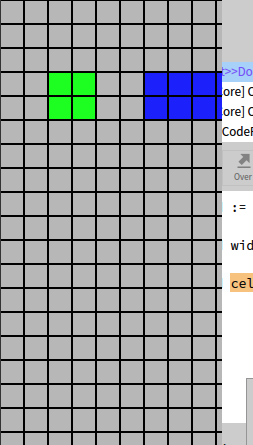
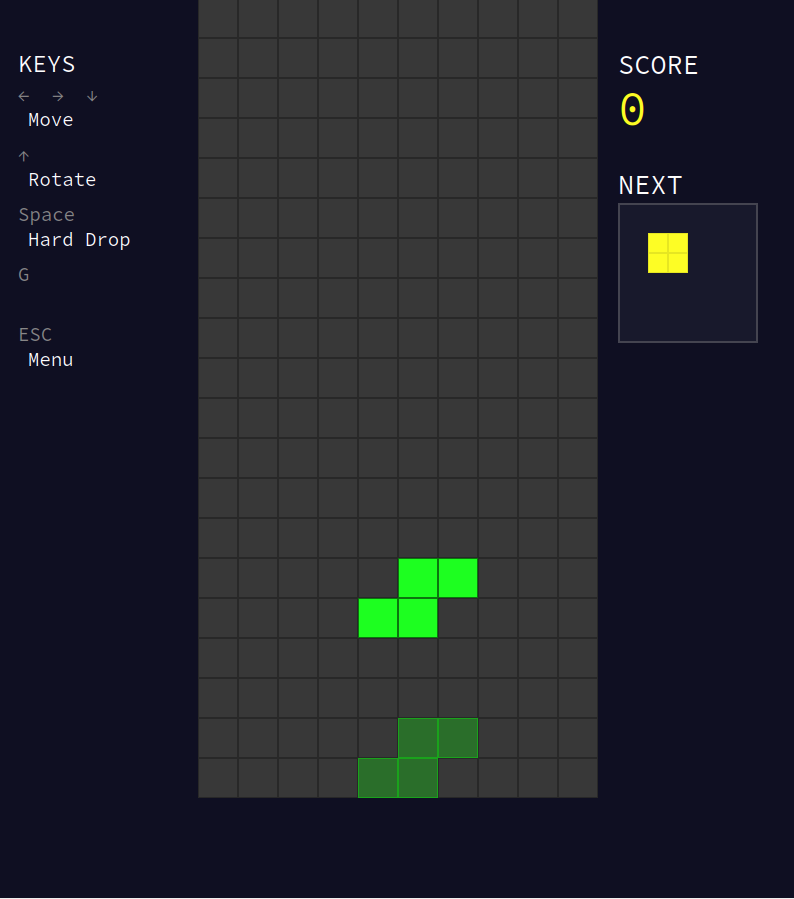
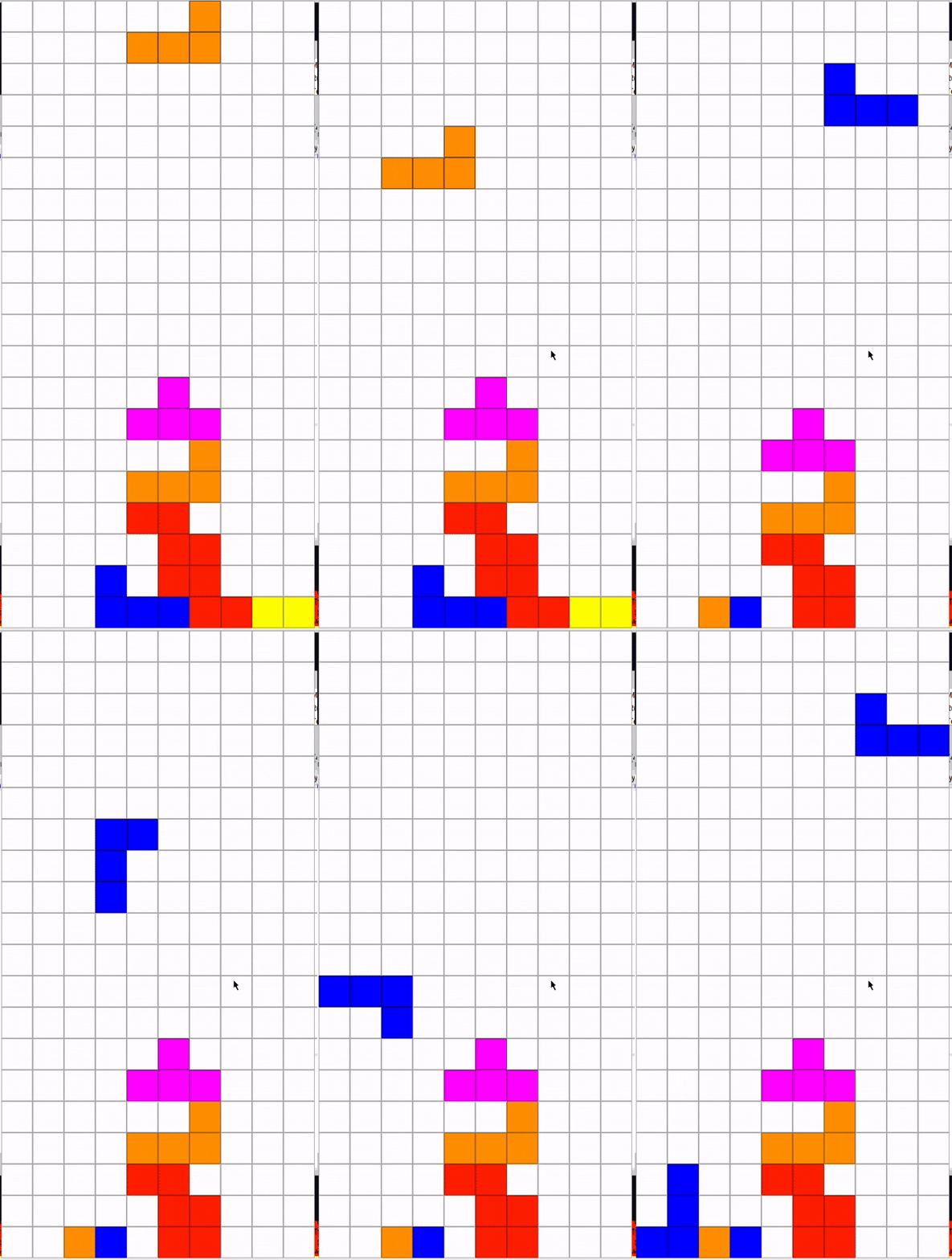
도메인 로직을 완성했으니 이제 사용자가 볼 수 있는 화면을 만들 차례이다. Pharo의 Morphic 시스템은 Java Swing이나 JavaFX과 비슷하지만 살짝 다르다 모든 컴포넌트 들이 Morph 객체이고 이 또한 스스로를 그리고 이벤트처리하는 방식이다. 시간이 없었는데 다행히도 Morphic은 예시들이 많아서 최대한 참고할 부분을 참고해서 빠르게 완성시킬 수 있었다. 페이지가 많지 않았기 떄문에 빠르게 아래처럼 디벨롭할 수 있었고 어떻게 구현했는지 기록해보고자한다.
TetrisApp: 전체 컨테이너
TetrisApp은 앱 전체를 담는 컨테이너다. 처음엔 크기가 무조건 큰게 좋을 것 같아서 크게 했는데 노트북에서 자꾸 위아래가 잘리는 상황이 생겨서 750×730 크기의 창을 만들고 화면 중앙에 배치하게끔 구현했다.
1
2
3
4
5
6
7
TetrisApp class >> open
    | app window |
    app := self new.
    window := app openInWindow.
    window extent: 750@730.
    window center: World center.
    ^ app
화면 전환
테트로미노의 이동이나 이런 동작에 관련된 것들은 takeKeyboardFocus를 통해서 새로운 스크린을 업데이트 시키는 방식으로 구현했다 .
1
2
3
4
5
6
7
8
9
10
TetrisApp >> startGame
    currentScreen ifNotNil: [
        currentScreen delete.
        currentScreen := nil.
    ].
    currentScreen := TetrisMorph new.
    currentScreen app: self.
    currentScreen bounds: self bounds.
    self addMorph: currentScreen.
    currentScreen takeKeyboardFocus
MenuMorph
1
2
3
4
5
TetrisMenuMorph >> initialize
    super initialize.
    self extent: 750@715.
    self color: (Color fromHexString: '0cefd3').
    self createUI
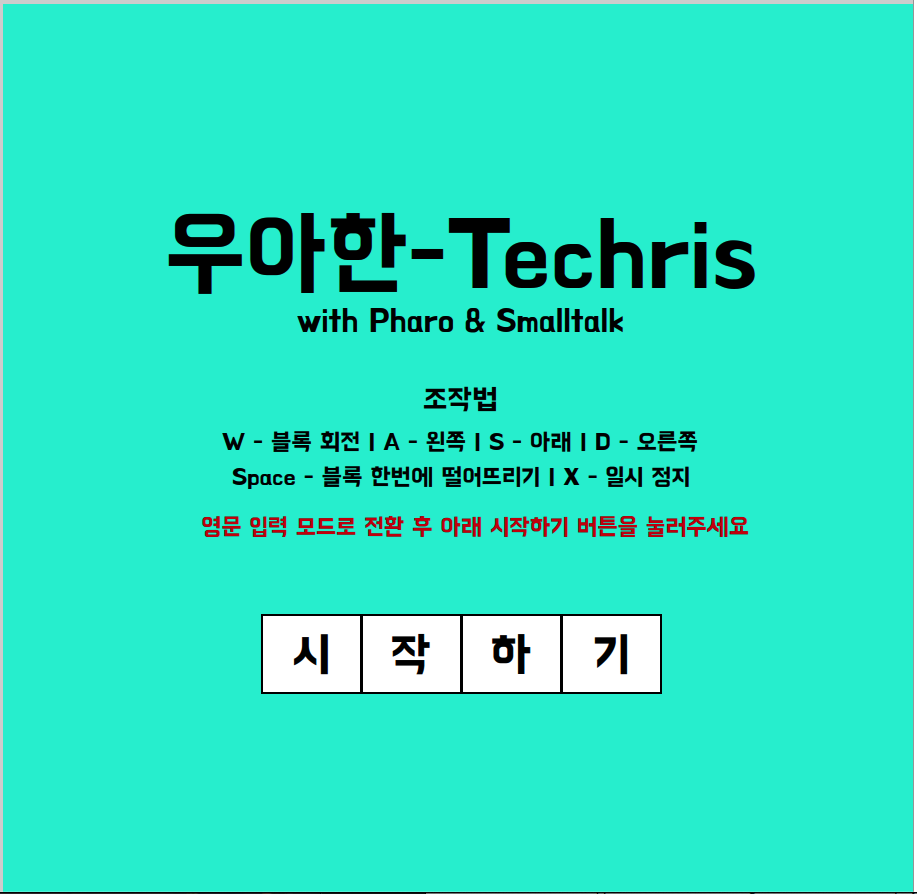
배경색은 민트색(#0cefd3)을 썼다. 배달의민족 브랜드 컬러다.
한글 폰트
1
2
3
4
5
title := StringMorph new
    contents: '우아한-Techris';
    font: (LogicalFont familyName: 'BM HANNA 11yrs old' pointSize: 72);
    color: Color black;
    yourself.
컨셉을 확시히 살리고자 배민의 BM Hanna 11yrs old 체를 사용했다.
테트리스 블록 버튼
1
2
3
4
5
6
7
8
9
10
11
12
13
14
15
16
17
18
19
20
21
22
23
24
25
26
27
28
29
30
31
32
33
34
35
36
37
38
39
40
41
42
43
44
TetrisMenuMorph >> createButton: text action: aBlock
    | container blocks letters x blockSize |

    container := Morph new.
    container extent: 400@100.
    container color: Color transparent.

    letters := #('시' '작' '하' '기').
    blocks := OrderedCollection new.
    x := 0.
    blockSize := 100.

    letters do: [:char |
        | block label |

        block := Morph new.
        block extent: blockSize@blockSize.
        block color: Color white.
        block borderWidth: 2.
        block borderColor: Color black.
        block position: container position + (x@0).

        label := StringMorph new
            contents: char;
            font: (LogicalFont familyName: 'BM HANNA 11yrs old' pointSize: 40);
            color: Color black.
        block addMorph: label.
        label position: block center - (label extent // 2).

        block on: #mouseDown send: #value to: aBlock.

        container addMorph: block.
        blocks add: block.
        x := x + blockSize.
    ].

    container on: #mouseEnter send: #value to: [
        blocks do: [:b | b color: Color yellow]
    ].
    container on: #mouseLeave send: #value to: [
        blocks do: [:b | b color: Color white]
    ].

    ^ container
시작하기 버튼 또한 테트리스 게임 컨셉에 맞는 테트리스 모양의 버튼을 만들었고 호버로 노란색이 띄게끔 구현했다.
게임 화면
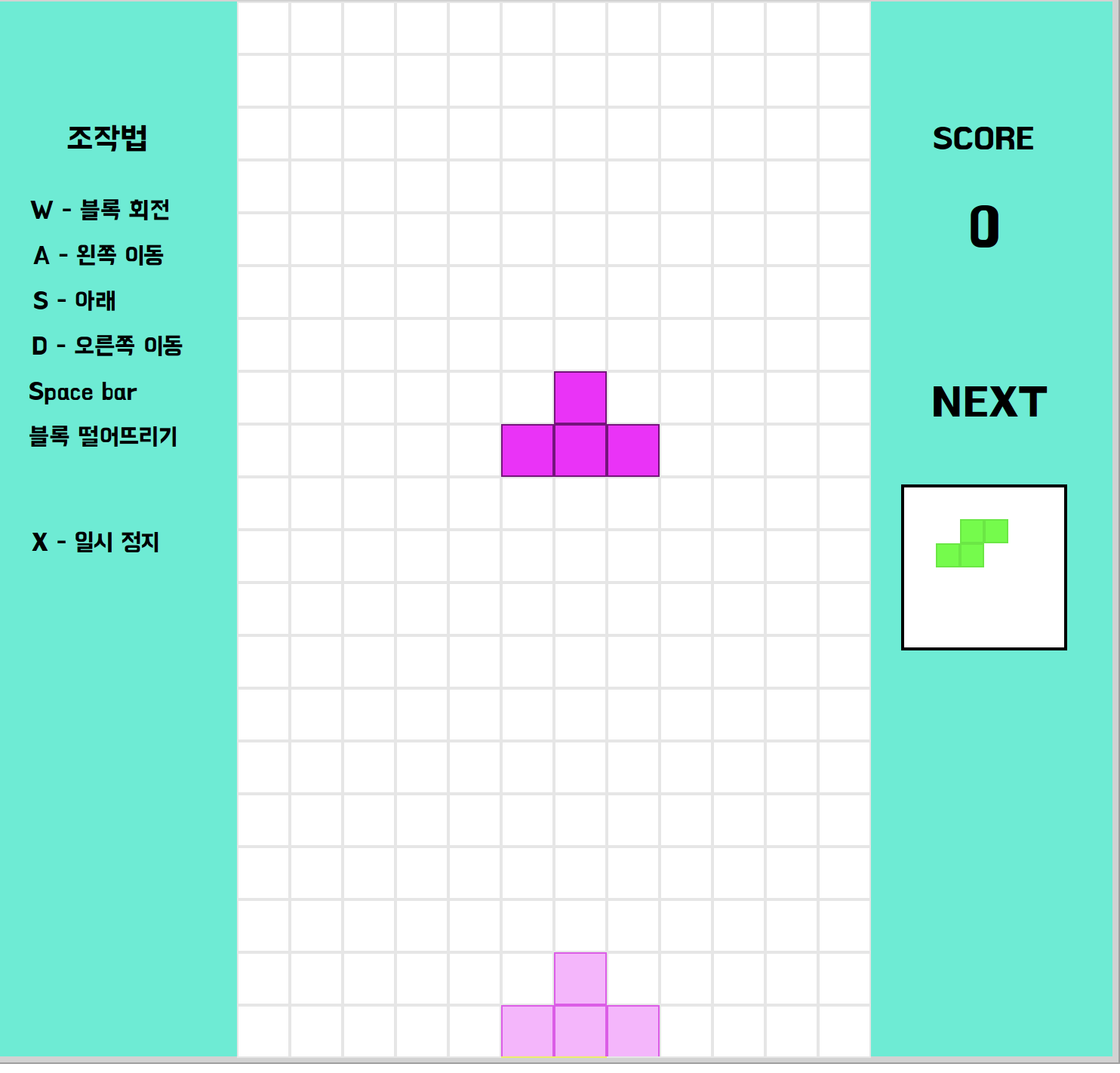
레이아웃
1
2
3
4
5
6
7
8
9
10
11
12
13
14
15
TetrisMorph >> initialize
    | boardWidth boardHeight sideWidth totalWidth |
    super initialize.
    game := TetrisGame newStandard.
    cellSize := 35.
    boardWidth := game board width * cellSize.
    boardHeight := game board height * cellSize.
    sideWidth := 200.
    totalWidth := sideWidth + boardWidth + sideWidth.

    self extent: totalWidth @ boardHeight.
    self color: (Color r: 0.05 g: 0.05 b: 0.15).
    self borderWidth: 2.
    self borderColor: Color black.
    self startStepping
화면을 세 개로 나누어서 가운데는 board 왼쪽에는 조작법의 패널, 오른쪽은 점수와 다음 조각에 대한 패널을 위치시켰다.
보드 렌더링
1
2
3
4
5
6
7
8
9
10
11
12
13
14
15
16
17
18
19
1 to: h do: [:row |
    1 to: w do: [:col |
        | value rect color |
        value := game board atRow: row col: col.
        rect := (offsetX + ((col - 1) * cellSize))
                    @ (offsetY + ((row - 1) * cellSize))
                    extent: cellSize @ cellSize.

        value = 0
            ifTrue: [
                canvas frameRectangle: rect width: 1 color: (Color gray alpha: 0.2).
            ]
            ifFalse: [
                color := self colorForBlockType: value.
                canvas fillRectangle: rect color: color.
                canvas frameRectangle: rect width: 1 color: (Color black alpha: 0.3).
            ].
    ].
].
고스트 블록
1
2
3
4
5
6
7
8
9
10
11
12
13
14
15
16
17
18
19
20
21
TetrisMorph >> drawGhost: canvas offsetX: offsetX offsetY: offsetY
    | ghost ghostColor |

    game currentTetromino ifNil: [ ^ self ].
    ghost := game ghostTetromino.
    ghost ifNil: [ ^ self ].

    (ghost row = game currentTetromino row and: [
        ghost col = game currentTetromino col ]) ifTrue: [ ^ self ].

    ghostColor := (game currentTetromino color alpha: 0.3).

    ghost cells do: [:pt |
        | rect |
        rect := (offsetX + ((pt x - 1) * cellSize))
                    @ (offsetY + ((pt y - 1) * cellSize))
                    extent: cellSize @ cellSize.

        canvas fillRectangle: rect color: ghostColor.
        canvas frameRectangle: rect width: 1 color: (ghostColor darker alpha: 0.5).
    ]
현재 블록 색상에 투명도 0.3을 적용한다. 착지 위치를 미리 볼 수 있게 구현했다.
키보드 입력
키보드 부분에서 시간이 꽤나 걸렸는데 Pharo 자체가 CJK를 지원하지 않아서 그런지 한글 자체의 입력이 안먹어서 무조건 영문을 입력하게끔 메뉴 화면에 명시해놨다.
1
2
3
4
5
6
7
8
9
10
11
12
13
14
15
16
TetrisMorph >> handleKeystroke: event
    | key |
    key := event keyValue.

    key = 120 ifTrue: [
        self stopStepping.
        app ifNotNil: [ app showMenu ].
        ^ true
    ].
    key = 97 ifTrue: [ game moveLeft. self changed. ^ true ].
    key = 100 ifTrue: [ game moveRight. self changed. ^ true ].
    key = 115 ifTrue: [ game stepDown. self changed. ^ true ].
    key = 119 ifTrue: [ game rotate. self changed. ^ true ].
    key = 32 ifTrue: [ game hardDrop. self changed. ^ true ].

    ^ false
게임 루프
1
2
3
4
5
6
TetrisMorph >> step
    game tick.
    self changed.

TetrisMorph >> stepTime
    ^ 450
게임오버
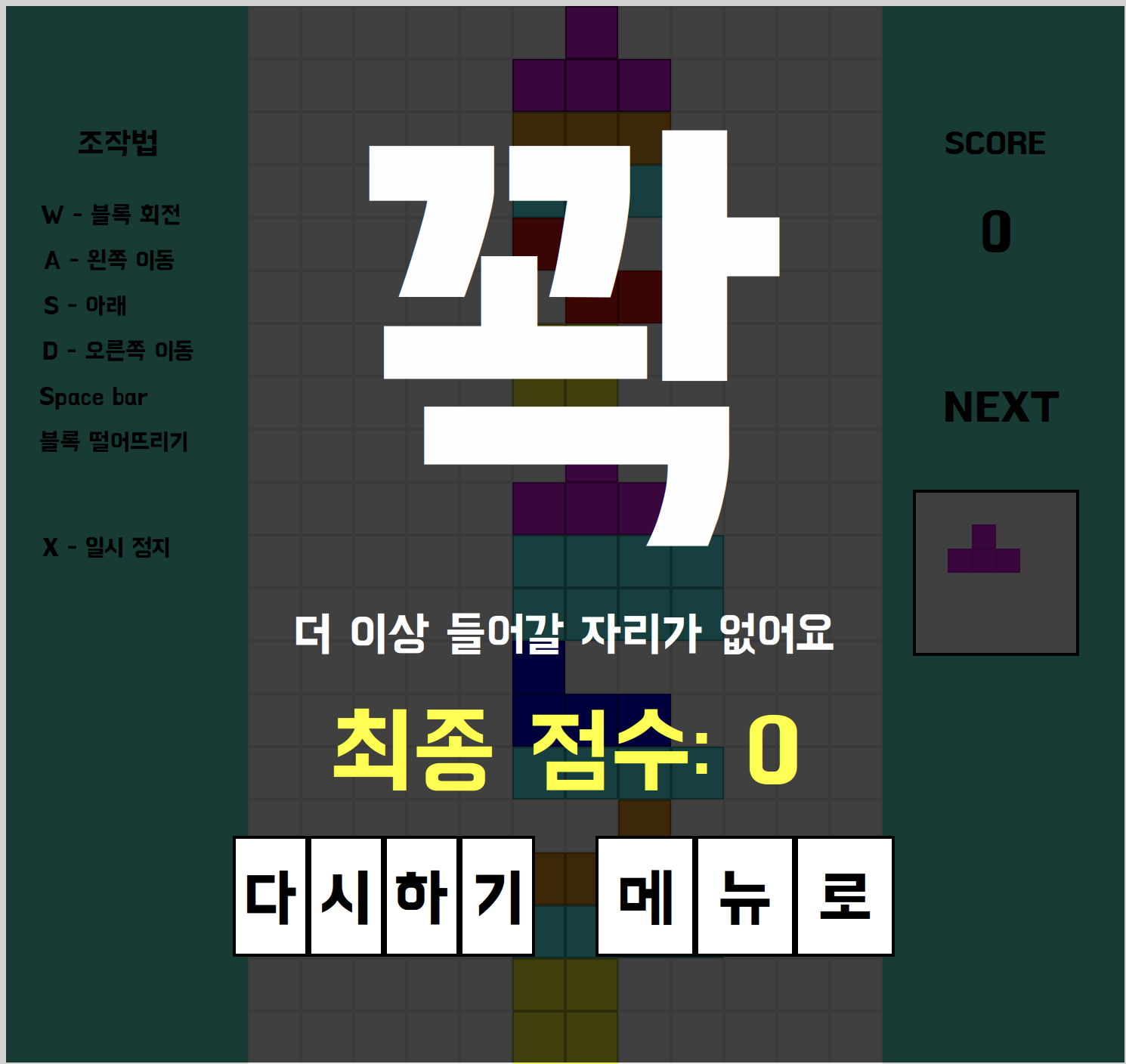 배민 테크 블로그에서 찜이나 텅과 같은 한 글자로 빈 화면을 효과적으로 구현하는 것을 참고하여 테트리스 성격에 맞는 꽉으로 표현했다.
1
2
3
4
5
6
7
8
9
10
11
12
13
14
15
16
17
18
19
20
21
22
23
24
25
26
27
28
29
30
31
32
33
TetrisMorph >> drawGameOver: canvas
    | titleFont scoreFont subFont titleText scoreText subText titleWidth scoreWidth subWidth yPos |

    canvas fillRectangle: self bounds color: (Color black alpha: 0.75).

    titleFont := LogicalFont familyName: 'BM HANNA 11yrs old' pointSize: 250.
    scoreFont := LogicalFont familyName: 'BM HANNA 11yrs old' pointSize: 48.
    subFont := LogicalFont familyName: 'BM HANNA 11yrs old' pointSize: 24.

    yPos := self bounds center y - 300.

    titleText := '꽉'.
    titleWidth := titleFont widthOfString: titleText.
    canvas drawString: titleText
        at: (self bounds center x - (titleWidth // 2)) @ yPos
        font: titleFont
        color: Color white.

    yPos := yPos + 350.
    subText := '더 이상 들어갈 자리가 없어요'.
    subWidth := subFont widthOfString: subText.
    canvas drawString: subText
        at: (self bounds center x - (subWidth // 2)) @ yPos
        font: subFont
        color: Color white.

    yPos := yPos + 60.
    scoreText := '최종 점수: ', game score printString.
    scoreWidth := scoreFont widthOfString: scoreText.
    canvas drawString: scoreText
        at: (self bounds center x - (scoreWidth // 2)) @ yPos
        font: scoreFont
        color: Color yellow.
마치며
우아한 테크코스, 우아한 형제들 컨셉에 맞는 결과물이 나온 것 같아서 마음이 좀 놓인다. 이제 배포만 남았다. 시간이 없다.