[Techris] 5. Techris의 도메인 로직
Techris 개발기 — Techris의 도메인 로직 개발을 마치고
들어가며
Techris의 도메인 로직이 드디어 완성되었다. 일단 Pharo에서는 객체를 하나 생성할 때마다 git의 변동사항이 감지되어서 git을 아예 못썼다. 따라서 나의 개발 과정을 증명할 방법이 필요한데, 블로그에 작성한 코드와 주요 로직들을 기록하는게 제일 합리적인 방안이라고 생각하여 기록해보고자 한다.
Techris-Core
일단 도메인의 로직의 패키지 이름은 Techris-Core로 만들었고 그 내부에는 설계한대로 네 개의 클래스로 이루어져있다.
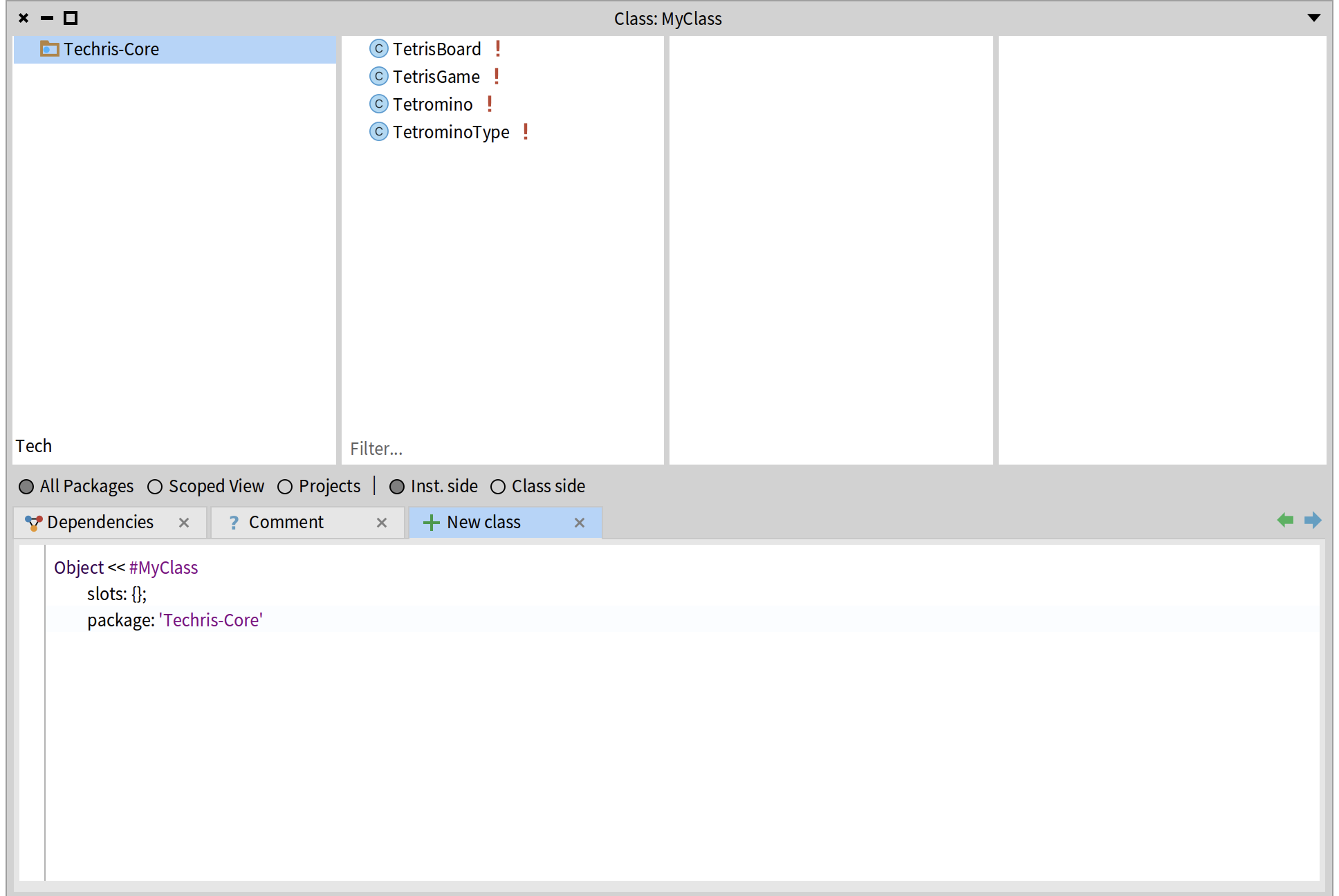
TetrominoType: 블록 타입 정의
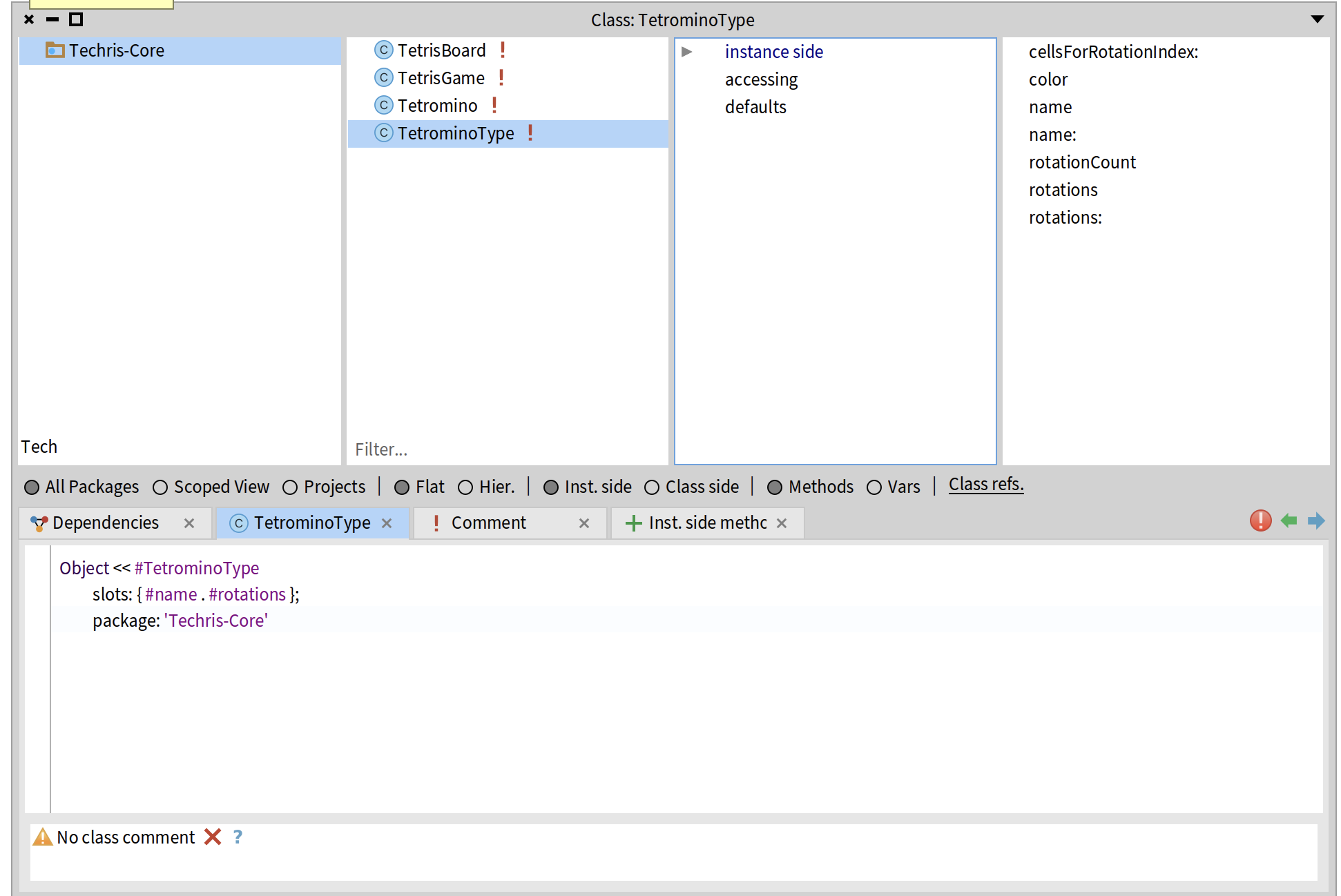
TetrominoType에는 7가지 종류의 테트로미노가 있다. I, O, T, S, Z, J, L. 각 블록은 고유한 모양을 가지고 있고, 회전할 수 있다.
블록 타입의 불변성
블록 타입을 처음에 인스턴스 메서드로 전부 그떄 그떄 만들까 했지만 그건 매우 비효율 적일 것 같고 Java였다면 Enum으로 만들 수 있지만 Smalltalk에는 Enum이 없다. 대신 클래스 메서드로 미리 정의해놓고 그때 메시지를 보내는 방식으로 구현했다.
1
2
3
4
5
6
7
8
9
10
11
12
TetrominoType class >> i
    | type |
    type := self new.
    type
        name: #I;
        rotations: {
            { 0@0. 1@0. 2@0. 3@0 }.
            { 1@ -1. 1@0. 1@1. 1@2 }.
            { 0@1. 1@1. 2@1. 3@1 }.
            { 2@ -1. 2@0. 2@1. 2@2 }
        }.
    ^ type
I 블록은 4가지 회전 상태를 가진다. 각 회전 상태는 Point 배열로 구현했는데, 이게 블록을 구성하는 4개 셀의 상대 좌표다.
예를 들어 회전 0의 { 0@0. 1@0. 2@0. 3@0 }은 가로로 일렬로 늘어선 4개의 셀을 의미한다. 회전 1의 { 1@-1. 1@0. 1@1. 1@2 }는 세로로 늘어선 형태다.
O 블록의 특수성
1
2
3
4
5
6
7
8
9
TetrominoType class >> o
    | type |
    type := self new.
    type
        name: #O;
        rotations: {
            { 0@0. 1@0. 0@1. 1@1 }
        }.
    ^ type
O 블록은 회전해도 모양이 같다. 그래서 회전 배열이 1개뿐이다. 이런 식으로 각 블록 타입의 특성을 그대로 상대 좌표를 하나하나씩 만들었다.
랜덤 테트로미노 생성
1
2
3
4
5
TetrominoType class >> random
    ^ self allTypes atRandom

TetrominoType class >> allTypes
    ^ { self i. self o. self t. self s. self z. self j. self l }
게임에서 다음 블록을 생성할 때 TetrominoType random을 self로 보낸다. self로 보내게 되면 Pharo의 컬렉션 API에서 atRandom 메서드로 하나가 선택이되고 이를 반환한다.
Tetromino: 떨어지는 하나의 테트로미노

Tetromino는 게임에서 조작하는 테트로미노 하나의 객체의 상태와 기능을 가진 클래스이다. Tetromino는 타입, 회전 상태, 그리고 보드 위의 위치를 가진다.
불변 객체로서의 Tetromino
Tetromino를 불변 객체로 만든 이유는 이동이나 회전을 할 때 원본을 직접 바꾸지 않고도 충돌 여부를 안전하게 검사하기 위해서이다. 이동한 상태가 유효한지 검사하기 전에 실제 객체를 수정하면 되돌릴 수 없기 때문에, 항상 새로운 Tetromino를 생성해 검사하고, 충돌이 없을 때만 그 새 객체로 교체하는 방식이 더 명확하다.
1
2
3
4
5
6
7
8
9
10
Tetromino >> movedLeft
    ^ self movedByRow: 0 col: -1

Tetromino >> movedByRow: dRow col: dCol
    | t |
    t := self copy.
    t
        row: row + dRow;
        col: col + dCol.
    ^ t
절대 좌표 계산
1
2
3
4
5
Tetromino >> cells
    | rel |
    rel := type cellsForRotationIndex: rotationIndex.
    ^ rel collect: [:pt |
        (col + pt x) @ (row + pt y) ]
블록이 실제로 보드의 어느 위치를 차지하는지 계산하는 것을 이렇게 구현했다.
먼저 type cellsForRotationIndex로 현재 회전 상태의 상대 좌표를 가져오고 블록의 위치 row, col 을 더해서 절대 좌표로 변환하고 나중에 사용하기 쉽게 Point로 만들어놨다.
예를 들어 I 블록이 (5, 3) 위치에 있고 회전이 0이면
- 상대 좌표: { 0@0. 1@0. 2@0. 3@0 }
- 절대 좌표: { 5@3. 6@3. 7@3. 8@3 }
회전
회전하는 것 또한 새 객체를 생성하는 방식으로 구현했는데 여기서는 모듈러 연산을 사용했다. 현재 인덱스에 1을 더하고 순환시키는 방식으로 구현했다.
1
2
3
4
5
6
Tetromino >> rotatedRight
    | t newIndex |
    t := self copy.
    newIndex := (rotationIndex + 1) \\ type rotationCount.
    t rotationIndex: newIndex.
    ^ t
TetrisBoard: 게임판
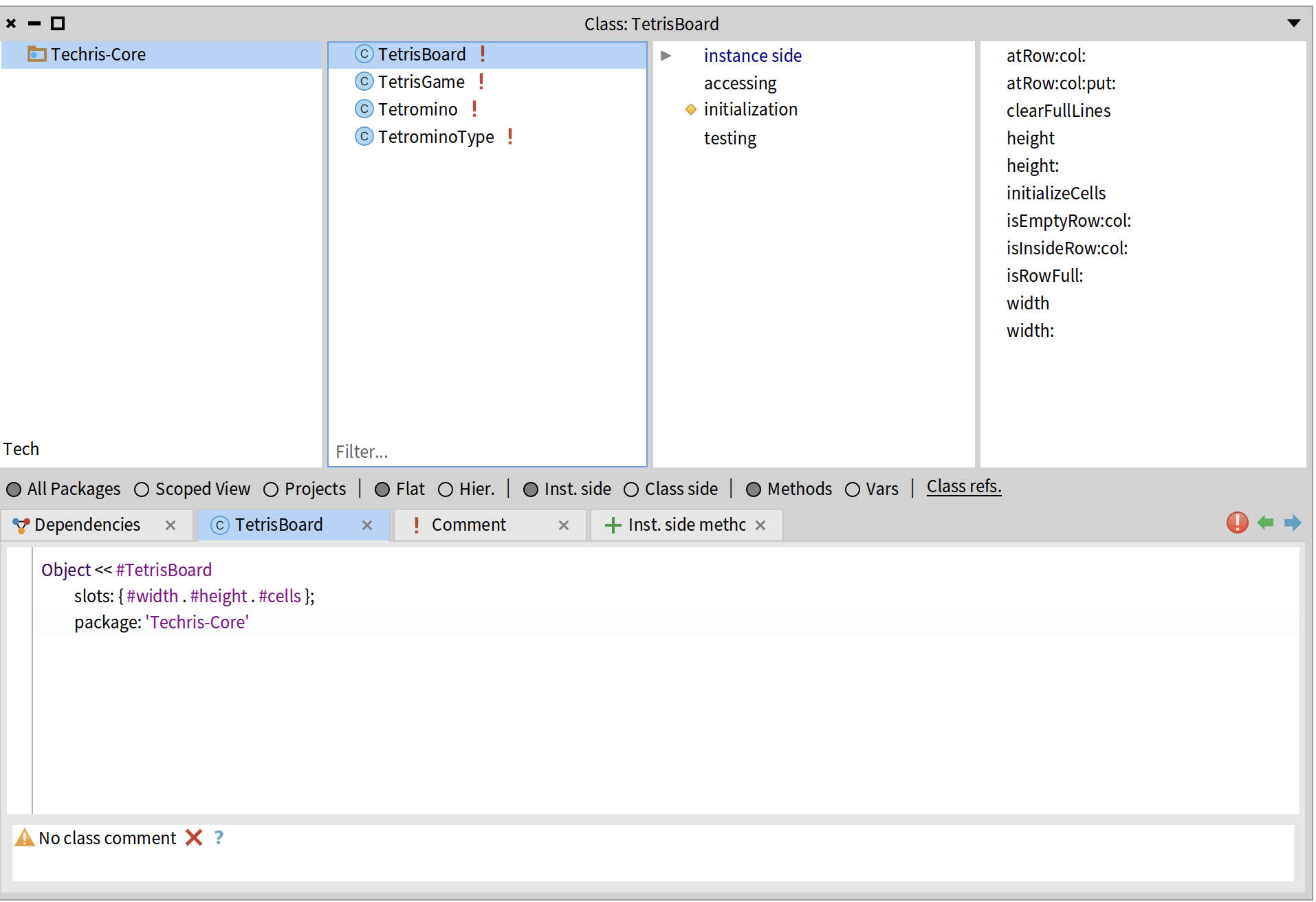
기본적으로 TetrisBoard는 10×20 크기의 게임판을 관리한다. 각 셀의 상태를 저장하고, 줄 제거 로직을 담당한다.
보드 초기화
제일 익숙한 방법인 2차원 배열로 board를 표현하는 방식을 사용하였다. 각 셀을 0 또는 블록 타입의 symbol을 사용하여서 클라이언트 로직이 완성되지 않고도 디버깅을 할수 있게 만들었다.
1
2
3
4
5
6
7
TetrisBoard class >> standard
    ^ self width: 10 height: 20

TetrisBoard >> initializeCells
    cells := Array new: height.
    1 to: height do: [:row |
        cells at: row put: (Array new: width withAll: 0) ].
위치 검증
일단 테트리스는 하나의 테트로미노가
- board 경계 안에 있어야하고
- 해당 위치가 비어있는지 확인해야 한다.
이를 위해서 isInsideRow 인스턴스 메서드를 통하여 계속 재사용하게끔 구현했다.
1
2
3
4
5
6
TetrisBoard >> isInsideRow: aRow col: aCol
    ^ (aRow between: 1 and: height)
        and: (aCol between: 1 and: width)

TetrisBoard >> isEmptyRow: aRow col: aCol
    ^ (self atRow: aRow col: aCol) = 0
줄 제거
아무래도 테트리스의 가장 핵심적인 로직인 가득 찬 줄의 줄 제거이다. 일단 보드를 위에서 아래로 순회하고 꽉 찬 줄을 제외하고 나머지는 새로운 줄에 추가한다. 제거된 줄 수 만큼 맨 위에 추가하게끔 구현했다. 또한 스코어를 위해 제거된 줄 수를 반환한다. allSatisfy:는 Java의 stream().allMatch()와 같다. 모든 요소가 조건을 만족하면 true를 반환한다.
1
2
3
4
5
6
7
8
9
10
11
12
13
14
15
16
17
TetrisBoard >> clearFullLines
    | newRows cleared |
    newRows := OrderedCollection new.
    cleared := 0.
    1 to: height do: [:row |
        (self isRowFull: row)
            ifTrue: [cleared := cleared + 1]
            ifFalse: [newRows add: (cells at: row)]].

    cleared = 0 ifTrue: [^ 0].

    1 to: cleared do: [:i |
        newRows addFirst: (Array new: width withAll: 0)
    ].

    cells := newRows asArray.
    ^ cleared
TetrisGame: 게임 전체 흐름

TetrisGame은 게임에 관련된 모든 것을 관리하는 클래스이다. 보드, 현재/다음 블록, 점수, 게임오버 상태를 가지고 있고, 모든 게임 로직을 조율한다.
게임 초기화
게임을 시작하면
- 10×20 보드를 생성한다
- 점수와 줄 제거 수를 0으로 초기화한다
- 현재 블록과 다음 블록을 랜덤 생성한다
현재 블록은 보드 중앙 상단(col: board width // 2, row: 1)에서 시작한다.
1
2
3
4
5
6
7
8
9
10
11
12
13
14
15
16
17
18
19
20
TetrisGame class >> newStandard
    ^ self new initializeStandard

TetrisGame >> initializeStandard
    board := TetrisBoard standard.
    score := 0.
    linesCleared := 0.
    gameOver := false.
    self spawnInitialTetrominos.
    ^ self

TetrisGame >> spawnInitialTetrominos
    currentTetromino := self newRandomTetrominoAtTop.
    nextTetromino := self newRandomTetrominoAtTop

TetrisGame >> newRandomTetrominoAtTop
    | type startCol |
    type := TetrominoType random.
    startCol := board width // 2.
    ^ Tetromino ofType: type atRow: 1 col: startCol
충돌 검증
블록이 차지하는 모든 셀(aTetromino cells)이 board안에 있고 이가 비어있으면 이동, 회전이 가능하게끔 구현했다. 보드안에 없는데 삐져나가는 경우가 있어서 아예 막아버렸다.
1
2
3
4
TetrisGame >> canPlaceTetromino: aTetromino
    ^ aTetromino cells allSatisfy: [:pt |
        (board isInsideRow: pt y col: pt x)
            and: [board isEmptyRow: pt y col: pt x] ]
이동
1
2
3
4
5
6
7
8
9
10
11
12
13
TetrisGame >> moveLeft
    | moved |
    gameOver ifTrue: [ ^ self ].
    moved := currentTetromino movedLeft.
    (self canPlaceTetromino: moved)
        ifTrue: [ currentTetromino := moved ].

TetrisGame >> moveRight
    | moved |
    gameOver ifTrue: [ ^ self ].
    moved := currentTetromino movedRight.
    (self canPlaceTetromino: moved)
        ifTrue: [ currentTetromino := moved ].
회전
1
2
3
4
5
6
TetrisGame >> rotate
    | rotated |
    gameOver ifTrue: [ ^ self ].
    rotated := currentTetromino rotatedRight.
    (self canPlaceTetromino: rotated)
        ifTrue: [ currentTetromino := rotated ].
회전도 이동과 같은 패턴이다. 회전한 새 블록을 만들고, 충돌 검증 후 교체한다.
자동 낙하
1
2
3
4
5
6
7
8
9
10
TetrisGame >> tick
    gameOver ifTrue: [ ^ self ].
    self stepDown

TetrisGame >> stepDown
    | moved |
    moved := currentTetromino movedDown.
    (self canPlaceTetromino: moved)
        ifTrue: [ currentTetromino := moved ]
        ifFalse: [ self lockCurrentTetromino ].
일단 나는 떨어지는 속도를 한 tick으로 구현하였고 이를 활용해서 한 틱마나 블록이 한 칸 내려가게끔 구현했다.
블록 고정
1
2
3
4
5
6
7
8
9
10
11
TetrisGame >> lockCurrentTetromino
    currentTetromino cells do: [:pt |
        board atRow: pt y col: pt x put: currentTetromino type name ].

    self handleFullLines.

    currentTetromino := nextTetromino.
    nextTetromino := self newRandomTetrominoAtTop.

    (self canPlaceTetromino: currentTetromino)
        ifFalse: [ gameOver := true ].
lockCurrentTetromino는 블록이 더 이상 내려갈 수 없을 때 호출된다. 게임 오버 로직도 여기다 담았는데 만약에 새로운 테트로미노가 블록에 고정할 수 없다면 gameOver가 되게끔 구현했다.
줄 제거와 점수
1
2
3
4
5
6
7
8
9
10
11
12
13
14
15
TetrisGame >> handleFullLines
    | cleared |
    cleared := board clearFullLines.
    cleared > 0 ifTrue: [
        self updateScoreForClearedLines: cleared.
        linesCleared := linesCleared + cleared ].
    ^ cleared

TetrisGame >> updateScoreForClearedLines: aCount
    aCount = 1 ifTrue: [ score := score + 100. ^ score ].
    aCount = 2 ifTrue: [ score := score + 300. ^ score ].
    aCount = 3 ifTrue: [ score := score + 500. ^ score ].
    aCount = 4 ifTrue: [ score := score + 800. ^ score ].
    score := score + (aCount * 100).
    ^ score
점수에 대한 로직이다. 위에서 반환했던 줄의 수로 계산한다.
- 1줄: 100점
- 2줄: 300점
- 3줄: 500점
- 4줄: 800점
Hard drop
놓을 곳이 너무 명확한데 tick 속도가 느려서 답답한 경우가 있어 대부분의 테트리스 게임은 Hard drop을 지원한다. 따라서 이 기능을 Techris에도 넣었는데, whiletrue를 통하여 블록이 더이상 내려갈 수 없을떄 까지 반복하고 충돌하면 고정하고 루프를 빠저 나오는 식으로 구현했다.
1
2
3
4
5
6
7
8
9
TetrisGame >> hardDrop
    gameOver ifTrue: [ ^ self ].
    [
        | moved |
        moved := currentTetromino movedDown.
        (self canPlaceTetromino: moved)
            ifTrue: [ currentTetromino := moved. true ]
            ifFalse: [ self lockCurrentTetromino. false ]
    ] whileTrue.
고스트 블록 계산
Tetris를 플레이하다 보면 잔상 처럼 테트로미노가 어디에 위치할 지 보여주는 게임들이 많다. 이를 고스트 블록(Ghost Block)이라고 하는데 현재 블록이 떨어질 위치를 반투명하게 미리 보여주는 것이다. 그의 로직은 아래와 같다.
1
2
3
4
5
6
7
8
9
10
11
12
13
14
15
TetrisGame >> ghostTetromino
    | ghost |
    currentTetromino ifNil: [ ^ nil ].

    ghost := currentTetromino.

    [
        | moved |
        moved := ghost movedDown.
        (self canPlaceTetromino: moved)
            ifTrue: [ ghost := moved. true ]
            ifFalse: [ false ]
    ] whileTrue.

    ^ ghost
마치며
일단 시간이 너무 없다. 새로운 기능을 추가하고 리팩토링도 해보고싶은데 그건 불가능할 것 같고 빨리 클라이언트 로직 연결해야할 것 같다.